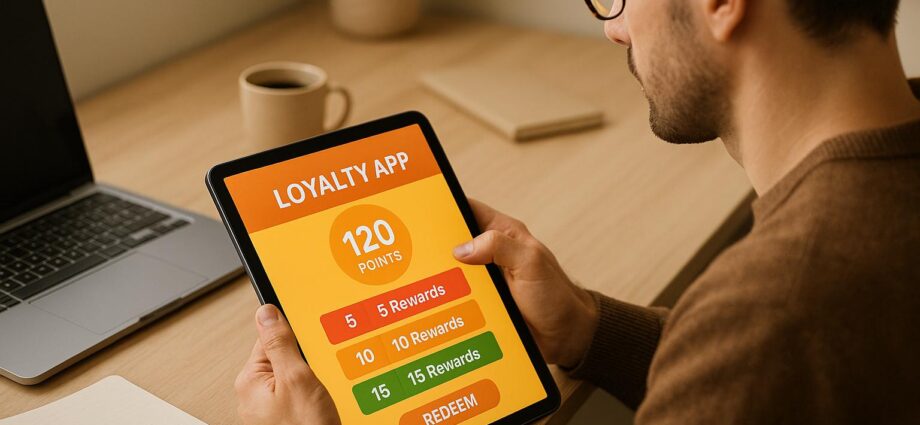
Testing loyalty app prototypes is essential to ensure a smooth user experience, avoid costly fixes post-launch, and meet customer expectations. Here’s a quick breakdown:
- Why Test? Catch usability issues early to save time, money, and protect your brand reputation.
- Set Goals: Define measurable objectives (e.g., task completion rates, error rates) to evaluate the app’s performance.
- Recruit Users: Choose participants that match your target audience, including diverse demographics and abilities.
- Use Tools: Leverage prototyping (e.g., Figma) and testing platforms (e.g., UserTesting) to simulate real interactions.
- Test & Improve: Run usability tests, gather insights, and prioritize fixes based on user feedback.
This process ensures your app is intuitive, functional, and ready to engage users effectively.
The BEST Remote Usability Test! Figma + Maze
Step 1: Set Clear Test Goals
Testing without a clear direction often leads to random results and wasted effort. Defining specific objectives turns testing into a focused strategy that directly impacts the success of your loyalty app.
Identify Key Goals
Begin by identifying exactly what you want to learn from your prototype tests. Pay close attention to essential user actions like signing up, earning rewards, or understanding the point system. Align your test goals with real business challenges – if customer acquisition is your main hurdle, focus on the onboarding process and first-time user experience. If retention is the issue, evaluate how current users interact with features like reward redemption and account management.
Each goal should tie back to a critical business outcome, such as reducing support tickets, increasing app downloads, or improving customer engagement. Once you’ve outlined your goals, make them measurable with clear metrics.
Set Success Metrics
General feedback like "users seemed confused" doesn’t provide actionable insights. Quantifiable metrics give you the data needed to back up design decisions and track progress. On average, usability studies show a success rate of about 78%, which serves as a useful benchmark.
Focus on four key metrics to evaluate your prototype’s performance effectively:
- Completion rates: Measure the percentage of users who successfully complete tasks like signing up or redeeming rewards.
- Time on task: Determine how efficiently users navigate your app.
- Error rates: Identify where users encounter problems or make mistakes.
- Satisfaction scores: Capture how users feel about their experience.
Here’s a quick breakdown of these metrics:
| Metric Type | What It Measures | How to Calculate |
|---|---|---|
| Completion Rate | Percentage of users who finish tasks successfully | (Completed tasks ÷ Total tasks) × 100 |
| Time on Task | Time users take to complete specific actions | Measured via stopwatch or testing platform |
| Error Rate | Number of mistakes made during tasks | Total errors ÷ Number of attempts |
| Single Ease Question (SEQ) | Perceived difficulty of tasks | 7-point scale (1 = very difficult, 7 = very easy) |
For broader usability, the average System Usability Scale (SUS) score is 68, with anything above 80 considered strong. On a task level, Single Ease Question scores typically average around 5.5 on a 7-point scale. These benchmarks help you gauge whether your prototype is meeting or falling short of expectations.
Once your metrics are in place, narrow your attention to the features that matter most to users.
Focus on Core Features
Concentrating on core features ensures you catch critical issues early. For loyalty apps, these features often include digital stamp cards, QR code scanning for rewards, and wallet integrations like Apple Pay or Google Pay. Since users interact with these features most frequently, any friction here can significantly affect the app’s overall effectiveness.
Test key actions, such as scanning QR codes to earn points, tracking progress toward rewards, and redeeming benefits when eligible. Pay attention to the context behind user behavior. If tasks take longer than expected, dig deeper – are users confused by the interface, misled by unclear copy, or struggling with navigation? Identifying the root cause allows you to make precise improvements rather than guessing at solutions.
Step 2: Find and Recruit Test Users
The success of your loyalty app testing largely depends on selecting participants who closely resemble your actual customers. By recruiting a well-rounded group, you’ll get feedback that reflects real-world usage.
Recruit Target Users
Your test participants should represent your customer base as accurately as possible. Start by examining your existing customers – look at their age groups, shopping behaviors, comfort with technology, and familiarity with loyalty programs. If you’re launching a new app, market research can help you identify potential users who fit your target demographic.
Mixing current customers with potential users provides a broader perspective. Current customers, already familiar with your brand, are ideal for testing features like reward redemption and account management. On the other hand, potential users can offer fresh insights into onboarding and first impressions.
Research supports the idea that small groups can uncover most usability issues. Studies show that testing with five users can identify 80–85% of major problems. However, Laura Faulkner’s research at AWS found that while groups of five users averaged 85% problem discovery, some groups identified as little as 55%. Testing with 10 users uncovered 95% of issues, and even groups of 20 didn’t drop below that threshold.
The complexity of your app should guide how many participants you recruit. For example, if your loyalty program targets different types of users – like frequent shoppers versus casual ones – you might need to test with 3–5 people per group. Many companies opt for around 11 participants per testing round, which provides a higher level of confidence in the results than smaller groups.
To find participants, use multiple channels like email lists, social media, and in-store promotions. This approach minimizes bias and broadens your reach. Offering small incentives, such as gift cards or early access to your app, can also encourage participation.
Include Diverse Users
Testing only with tech-savvy users can lead to misleading results. In reality, your app will be used by people with varying levels of digital literacy, different ages, and a range of physical abilities. Your app needs to be just as user-friendly for someone who’s new to smartphones as it is for a seasoned app user.
Include a mix of first-time and experienced loyalty app users. New users can help you evaluate the clarity of your onboarding process, while experienced users are more likely to pinpoint features that don’t meet industry standards.
Accessibility testing is essential, not optional. Involve users with disabilities, such as those with visual impairments, hearing difficulties, or limited motor skills. For example, users with reduced dexterity might struggle with small touch targets, highlighting the need for larger buttons or easier navigation.
Geographic diversity also matters, especially if your business operates in multiple regions. Regional differences can influence familiarity with features like QR codes, mobile payments, or digital wallets. Age diversity is equally important: younger users might expect seamless social integrations, while older users often prioritize clear instructions and simple navigation.
Rather than trying to test every possible user type at once, start small and iterate. Begin with your core user groups to tackle the most pressing issues, then gradually expand your testing to include a more diverse range of participants. This step-by-step approach ensures you address critical problems early while keeping your budget and resources in check.
Once you’ve gathered a diverse group of participants, you’ll be ready to move on to selecting the right tools for prototyping and testing.
Step 3: Choose Prototyping and Testing Tools
The tools you choose for prototyping and testing can make or break your loyalty app’s development process. To ensure your app truly meets user needs, focus on tools that mimic real-world interactions. For small businesses, it’s essential to find solutions that balance ease of use with functionality, all while staying within budget. The goal? Test the features that matter most to your app effectively.
Selecting Prototyping Tools
Interactive prototypes let users experience your app’s functionality without requiring full development. They’re a great way to simulate user flows and gather feedback early on. Here are some top options:
- Figma: Perfect for teams, Figma offers collaborative prototyping with a free tier for up to three projects. You can build clickable prototypes to simulate key user actions like signing up for rewards, scanning QR codes, and redeeming points.
- Adobe XD: If your team already works with Adobe Creative Suite, Adobe XD integrates seamlessly. It also includes voice prototyping features, which can add another layer of interactivity to your designs.
- InVision: This tool transforms static designs into interactive prototypes. While it requires design files from other platforms, it’s efficient for creating prototypes that feel polished.
- Marvel: Known for its simplicity, Marvel makes it easy for small teams to create prototypes without unnecessary complexity. Its built-in user testing features and basic analytics help track how people interact with your designs.
When choosing a prototyping tool, prioritize those that support the specific interactions your app needs – like touch gestures, screen transitions, and form inputs. The tool should also allow you to make quick updates based on feedback without starting from scratch.
Usability Testing Platforms
Once your prototype is ready, usability testing platforms help you evaluate how well it performs. These platforms provide both metrics and qualitative insights, shedding light on where users encounter challenges or confusion.
- UserTesting: This platform connects you with a large pool of participants and delivers fast results. It records user behavior, screen interactions, and session replays, giving you a clear picture of how users navigate your loyalty features. You’ll see exactly where they hesitate, click incorrectly, or abandon tasks.
- Maze: Designed for prototype testing, Maze offers detailed analytics like misclick rates and time spent on each screen. It integrates well with tools like Figma, making it a great choice for testing navigation and engagement in loyalty apps.
- Optimal Workshop: This suite of tools includes first-click testing and card sorting, which are especially useful for validating your app’s information architecture. For loyalty apps, this ensures users can easily find rewards, check point balances, and understand program rules.
- Lookback: If you need deeper insights, Lookback focuses on live user interviews and moderated testing sessions. This approach helps uncover user motivations and emotions, providing actionable feedback that quick tests might miss.
These platforms help pinpoint areas where users struggle, allowing you to address navigation or usability issues before launch. The key is to choose a platform that aligns with your testing goals and budget while delivering the insights you need.
Testing Loyalty Features with meed
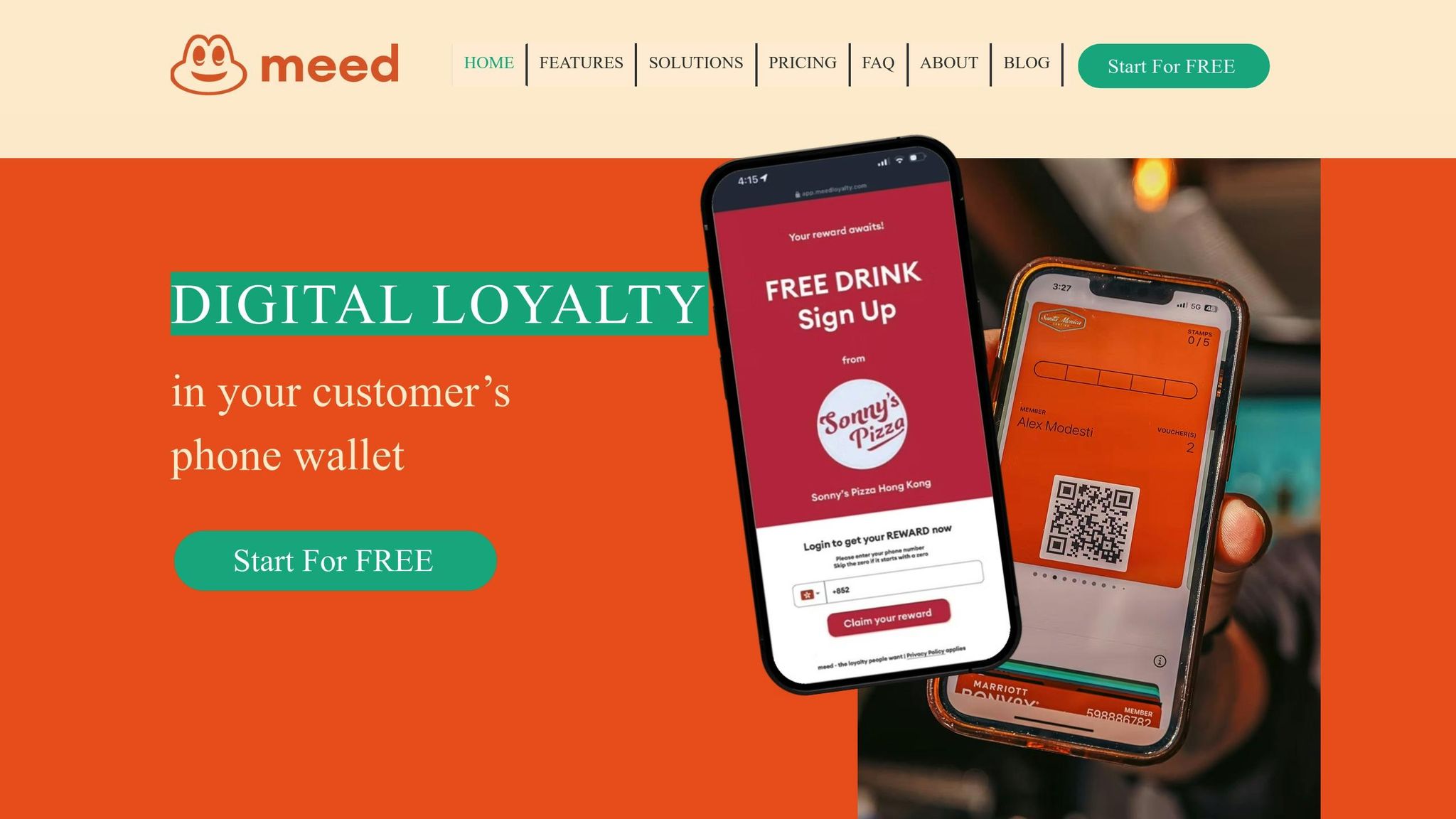
When it comes to loyalty-specific features, testing is all about understanding how users interact with rewards, point systems, and redemption processes. meed is a platform designed specifically for loyalty program management, making it an excellent choice for prototyping and testing these features.
- Digital Stamp Cards: meed’s digital stamp card feature lets you observe how users respond to visual progress indicators. Do they understand how to earn stamps? Can they easily track their progress? Testing can reveal common issues like unclear requirements or difficulty finding stamp card status.
- QR Code Rewards and Wallet Integration: QR codes are a critical feature for loyalty apps. With meed, you can test the entire experience – from scanning to redemption and adding cards to digital wallets. This process often highlights potential pain points like poor QR code visibility or unclear instructions.
- Analytics Dashboard: meed provides real-time data on how users navigate loyalty features. You can track which rewards generate the most interest, where users drop off during redemption, and how effectively the program encourages continued engagement.
- Multi-Location Support: For businesses with multiple locations, meed allows you to test location-specific offers. This ensures users understand how to redeem rewards at different venues within your network.
- AI-Guided Receipt Scanning: This feature can be a game-changer – or a source of confusion. Testing how users interact with receipt scanning helps you refine the process and create clear instructions if needed.
sbb-itb-94e1183
Step 4: Run Usability Tests
With your tools in place and your prototype ready, it’s time to see how real users interact with your loyalty app. Usability testing is all about observing how people naturally engage with your app and identifying gaps between how you think it will be used and how it’s actually used. This step is critical for uncovering hidden issues and refining the user experience.
Create Realistic Test Scenarios
Start by crafting scenarios that mirror real-life customer journeys. Think about how users might discover your app, navigate it, and redeem rewards. Cover the basics, but also include edge cases to catch unexpected problems.
For example, you could design scenarios for:
- New users: Focus on first impressions and the onboarding process.
- Returning users: Test how they navigate the app and engage with ongoing features.
- Reward redemption: This is a crucial area where many loyalty programs hit snags.
- Multi-location transactions: Especially important for businesses with multiple locations.
Once you’ve outlined these scenarios, break them down into specific tasks for users to perform.
Write Clear Testing Tasks
Your tasks should guide users without giving away the expected steps. The idea is to let users figure out how to complete tasks naturally, which helps you test whether your app’s navigation and design are intuitive.
A good task includes context, a goal, and any necessary constraints. For instance, instead of saying, "Click the rewards button to see your points", you could say, "You want to check how close you are to earning your next reward." This phrasing avoids leading the user while still providing direction.
You can also introduce constraints to mimic real-world conditions. For example: "You’re in a busy store line and need to quickly redeem your free item before ordering." This helps you see how your app performs under pressure.
To avoid overwhelming users, start with simple tasks – like checking point balances – then gradually introduce more complex challenges, such as redeeming rewards or referring friends. This progressive approach ensures you test all key features while keeping frustration levels manageable.
Collect Feedback Effectively
Once users begin testing, your job is to collect both quantitative data and qualitative insights. Observing what users do is just as important as understanding how they feel about the experience.
- Behavioral Data: Track things like task completion rates, time spent on each screen, and where users click or tap. Pay close attention to hesitation – pauses often signal confusion. If users backtrack or restart tasks, it’s a sign that something isn’t clear.
- Think-Aloud Protocols: Ask participants to talk through their thoughts as they use the app. Comments like "I’m not sure what this does" or "I expected this to work differently" can highlight design flaws. Keep in mind, though, that verbalizing thoughts might slightly alter user behavior, so balance this with silent observation.
- Post-Task Interviews: After each task, ask open-ended questions like, "What was confusing about that process?" or "How did this compare to what you expected?" Avoid yes/no questions – they don’t provide much detail. For example, instead of asking, "Was this easy?" try, "What made that challenging?"
- Emotional Responses: Watch for signs of frustration, confusion, or delight. Body language, facial expressions, and tone of voice can reveal more than words. A user might complete a task successfully but still feel frustrated – a critical insight that raw metrics won’t show.
- Comparative Feedback: Ask users to rank features or flows. For instance, "Which method of redeeming rewards felt most natural?" This helps you prioritize design improvements based on user preferences.
- Quantitative Benchmarks: Measure specific metrics like how long it takes to sign up, the percentage of users who redeem rewards on their first try, or where users abandon tasks. These benchmarks give you clear targets for improvement.
Document everything during testing sessions. Use screen recordings to capture user interactions and take detailed notes on verbal feedback and observations. While many testing platforms can generate reports with key metrics, don’t rely solely on automated data. Your observations – especially about user behavior and emotions – are just as important for making your loyalty app truly user-friendly. These insights will guide you in refining your app for a successful launch.
Step 5: Review Results and Make Changes
Once you’ve gathered usability data, the next step is to dive into your findings. This is where raw feedback turns into practical updates that can make your loyalty app easier to use and more appealing. The goal is to review the data systematically and focus on changes that will truly improve the user experience.
Review Usability Test Data
Start by organizing your data into two categories: quantitative metrics (like task completion rates or time spent on specific actions) and qualitative feedback (user comments, observations, and emotional reactions). This combination gives you a well-rounded view of how your app is performing.
Look for patterns in the data. For instance, if only one person struggled to sign up, it might not be a major issue. But if several users had trouble locating the rewards redemption button, that’s a clear sign of a design flaw. Pay attention to recurring themes in user comments and identify consistent pain points across different test scenarios.
Don’t overlook emotional feedback. Even if users complete tasks successfully, feelings of frustration or confusion can signal deeper usability problems. For example, if users repeatedly express uncertainty during onboarding – even if they finish the process – it could mean the flow is too complicated and needs streamlining.
Organize key metrics to spot trends. This will help you understand which features are working well and which ones need improvement. Also, take note of positive feedback. Knowing what users enjoy about your app is just as important as addressing the areas where they struggle. Building on these strengths can make your design even better.
Once you’ve identified clear trends and problem areas, it’s time to prioritize changes.
Prioritize Design Changes
After reviewing your findings, you’ll likely have a long list of potential updates. The challenge is to figure out which ones will have the greatest impact on both user satisfaction and your business goals. Trying to fix everything at once can lead to inefficiency, so focus on what matters most.
Start by ranking issues based on their severity and impact. Problems that prevent users from completing essential tasks – like signing up or redeeming rewards – should be addressed first. These are the types of issues that could cause users to abandon your app altogether.
Next, think about how each change aligns with your business objectives. Updates that directly support revenue-generating activities, such as simplifying the process of earning or redeeming points, should take priority over cosmetic tweaks. For loyalty apps, the focus should be on features that boost user retention and engagement.
Sometimes, user feedback may conflict. In these cases, weigh the input against your target audience and overall goals. The aim isn’t to please everyone but to create the best experience for your core users. Once you’ve set your priorities, it’s time to implement the changes and test them again.
Update and Retest
When making updates, tackle them one step at a time rather than rolling out all changes at once. This approach allows you to measure the impact of each improvement individually. Begin with the highest-priority fixes and work your way down the list.
After implementing major changes, run targeted tests to confirm that the updates have resolved the issues. These tests can also help you identify any new problems that may have been introduced. Track your progress by comparing before-and-after metrics to see how the changes are affecting user behavior.
Be ready for multiple rounds of testing. It’s rare for a prototype to be perfect after just one round of updates. Most successful loyalty apps go through several cycles of testing, tweaking, and retesting before they’re ready for launch. Each cycle brings you closer to creating a seamless and enjoyable user experience.
Keep your original test scenarios handy for consistency across testing rounds. While you may add new scenarios to evaluate specific changes, sticking to some of the same tasks ensures you can measure progress and maintain effective features.
The ultimate goal is to design a loyalty app that users love to interact with. When testing shows that users can easily complete key tasks and feel genuinely satisfied with the experience, you’ll know you’re ready to move toward launch.
Conclusion: Launch a User-Focused Loyalty App
Creating a loyalty app that truly resonates with your customers starts with a user-first mindset. By focusing on thorough prototype testing, you reduce the risks of a failed launch and ensure your app delivers what your audience actually wants. For small businesses, this approach can mean the difference between wasted resources and a tool that drives real customer engagement.
Through detailed testing, you’ve replaced guesswork with actionable insights. This step-by-step process not only builds confidence in your app’s performance but also ensures it aligns with real-world user needs.
If you’re looking to simplify the process, platforms like meed can be a game-changer. Meed provides pre-built loyalty features, allowing you to concentrate on perfecting the user experience instead of starting from scratch. With tools like these, you can fine-tune your app to meet customer expectations while streamlining development and testing.
Testing helps identify both the strengths and weaknesses of your app, turning feedback into a loyalty program that’s easy to use and highly effective. When customers can effortlessly join, earn rewards, and redeem them without confusion, they’re far more likely to stick around and engage with your brand.
With a validated prototype in hand, you’re ready to launch an app that not only retains customers but also encourages growth. Every feature has been fine-tuned to meet user needs, making your app a reliable tool for building lasting customer loyalty.
FAQs
Why is it important to test loyalty app prototypes before launching?
Testing loyalty app prototypes before launch is a critical step to catch usability issues early. This proactive approach helps refine the app to ensure it’s user-friendly, functional, and aligned with what customers expect.
Tackling problems during the prototype stage not only prevents expensive fixes down the road but also saves time and resources. Plus, a thoroughly tested app boosts user engagement, strengthens customer loyalty, and lays the groundwork for sustained success.
How do I recruit test users who truly represent my target audience?
To find test users who align with your target audience, begin by setting clear criteria that reflect your ideal user’s demographics, preferences, and behaviors. These criteria will guide you in selecting participants who genuinely represent your audience.
There are several ways to recruit users, including tapping into your existing customer base, leveraging social media, engaging with online communities, or connecting with local groups that share similarities with your audience. Aim for a diverse range of participants within your target demographic to ensure you receive well-rounded and meaningful feedback. This strategy will provide insights that are both practical and relevant.
What key metrics should I track during usability testing to ensure my loyalty app meets user needs?
To make sure your loyalty app provides an excellent user experience, keep an eye on these key metrics during usability testing:
- Success rate: This measures the percentage of tasks users complete successfully, giving insight into how intuitive your app is.
- Error rate: Tracks how often users make mistakes, helping to pinpoint areas that might need adjustments.
- Task completion time: Shows how long it takes users to finish tasks, offering a glimpse into the app’s efficiency.
- User satisfaction: Tools like the System Usability Scale (SUS) or Net Promoter Score (NPS) can help measure how users feel about the app overall.
- Engagement metrics: Metrics such as session length and retention rates indicate how effectively the app keeps users interested and involved.
By keeping tabs on these metrics, you can uncover usability challenges, refine your app’s design, and ensure it meets user expectations while fostering loyalty.