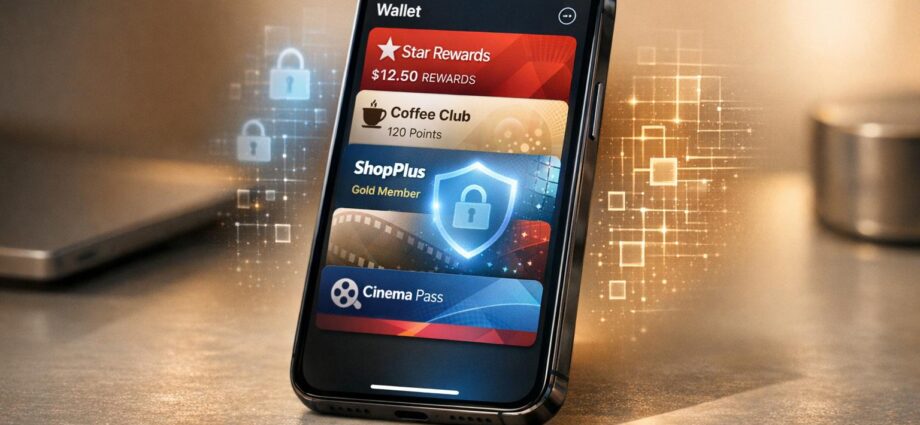
Your loyalty data in Apple Wallet is protected by advanced encryption, ensuring privacy and security at every stage – from storage on your device to transmission during transactions. Here’s how Apple safeguards your information:
- Encryption at Rest and In Transit: Data is encrypted both when stored on your device and when sent to terminals or servers, using military-grade AES encryption.
- Secure Hardware Components: The Secure Enclave and Secure Element chips store private keys and sensitive data separately from the main system, preventing breaches.
- End-to-End Encryption (E2EE): Ensures only you and the intended recipient can access your data, shielding it from interception.
- Tokenization: Replaces your loyalty membership number with a unique, device-specific identifier that changes with every transaction.
- Biometric Authentication: Face ID, Touch ID, or a passcode ensures only you can authorize transactions.
- No Apple Access: Your personal data is sent directly to merchants, bypassing Apple’s servers entirely.
These measures not only protect your loyalty data but also build trust between businesses and customers by reducing fraud risks and ensuring compliance with privacy standards. Whether you’re earning points or redeeming rewards, Apple Wallet’s encryption keeps your data safe.
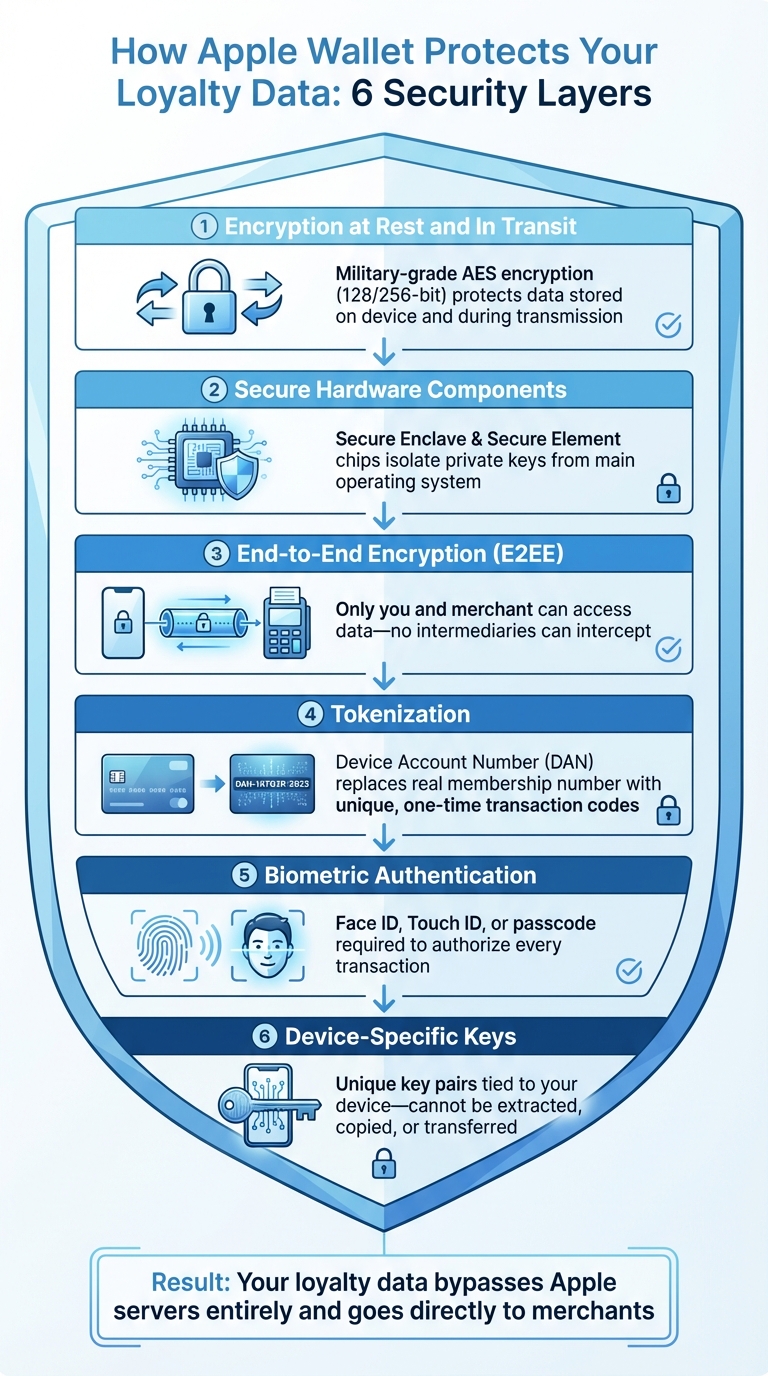
How Apple Wallet Encrypts and Protects Loyalty Data: 6-Layer Security Framework
How Encryption Works in Apple Wallet
What Encryption Is and Why It Matters
Encryption transforms sensitive data into a coded format that only someone with the right key can decode and understand. Without this key, the information remains unreadable, effectively protecting it from unauthorized access.
When it comes to loyalty programs in Apple Wallet, encryption safeguards critical details like your point balances, membership tiers, transaction history, and personal identifiers. This is crucial because every tap at a terminal sends data that could otherwise be intercepted or cloned. As Arrivia explains:
By prioritizing security alongside convenience, digital wallets are helping loyalty programs build the trust necessary for widespread adoption and continued engagement.
Encryption not only protects your data but also helps businesses combat fraud and prevent unauthorized duplication of loyalty passes. Let’s dive into the specific encryption techniques Apple Wallet uses to keep your loyalty data secure.
Apple Wallet’s Encryption Methods
Apple Wallet takes encryption to the next level by employing multiple layers of protection for your data. Your loyalty passes are encrypted both when stored on your device (at rest) and when sent to terminals or servers (in transit). This dual approach ensures that your information remains secure, even if one layer is compromised.
The backbone of this security lies in hardware-based encryption, powered by two specialized components in your iPhone: the Secure Enclave and Secure Element. These isolated chips are designed to store private keys and sensitive data separately from the main operating system. Even if your phone’s software is breached, these chips keep your loyalty information safe. Apple relies on the Advanced Encryption Standard (AES) with 128 or 256-bit keys – the same encryption used in military-grade security and financial transactions.
For contactless loyalty interactions, Apple uses the Apple Pay Value Added Services (VAS) protocol, ensuring that when you tap your phone at an NFC-enabled terminal, the communication between your device and the reader is fully encrypted. Additionally, when sharing loyalty data with third-party apps, Apple employs Hybrid Public Key Encryption (HPKE). This method encrypts the data using the app developer’s certificate, ensuring that Apple itself never accesses the data you share.
End-to-End Encryption for Data Transmission
How Data Is Secured During Transmission
Building on the multi-layered encryption methods discussed earlier, end-to-end encryption (E2EE) ensures your data stays private throughout its entire journey. From the moment your loyalty data leaves your iPhone to the instant it reaches its destination, E2EE keeps it protected. Trevor Jackins, Senior Digital Marketing Manager at Splashtop, puts it simply:
"End-to-end encryption (E2EE) is a method of securing data that ensures only the communicating users can read the messages."
Here’s how it works: E2EE relies on cryptographic key pairs. A public key on your device encrypts the data, and only the recipient’s private key can decrypt it. This design ensures that no intermediaries, whether service providers or bad actors, can intercept or access your information.
For example, Apple’s VAS protocol encrypts loyalty data during contactless transactions, ensuring that every tap at an NFC-enabled terminal is secure. When you use your device at checkout, the loyalty data is transmitted in encrypted form, making it highly resistant to interception or tampering. Additionally, data exchanged between your device and merchant servers is secured using TLS and 256-bit AES encryption, which protects against man-in-the-middle attacks. This robust framework not only safeguards your data but also strengthens trust between businesses and their customers.
Benefits for Businesses and Consumers
End-to-end encryption creates a strong sense of security for both consumers and businesses. For consumers, it means that sensitive details – like point balances, transaction histories, and personal identifiers – are shielded from unauthorized access. For businesses, E2EE minimizes the risk of data breaches and fraud while helping them meet privacy regulations.
To fully support secure, contactless loyalty interactions, businesses should ensure their payment terminals are VAS-certified. Pairing E2EE with multi-factor authentication adds another layer of protection, ensuring that only authorized users can access sensitive data. Developers also need to keep Apple Wallet certificates up to date. While existing passes will still work if a certificate expires, new passes can’t be signed or updated without a valid certificate.
Even in worst-case scenarios, like a merchant’s system being compromised, E2EE offers protection. Since encryption happens on the user’s device and decryption occurs only at the intended endpoint, raw data is never exposed to intermediate servers. This reduces the attack surface significantly, giving both businesses and consumers peace of mind.
Tokenization and Device-Specific Keys
What Tokenization Is
Tokenization replaces your actual loyalty membership number with a unique identifier tied to your device. Instead of using your real account number during transactions, Apple Wallet generates something called a Device Account Number (DAN), which acts as a substitute.
This token is securely stored in the Secure Element. Apple explains it this way:
"The Device Account Number in the Secure Element is isolated from iOS, watchOS, macOS, and visionOS, is never stored on Apple servers, and is never backed up to iCloud."
Even if someone intercepts the token, it’s useless because each transaction is protected by a dynamic security code. The Secure Element generates a one-time unique signature for every interaction. In simple terms, every tap at a loyalty terminal creates a code that can’t be reused or replicated. Southern Energy Credit Union sums it up well:
"Tokenization matched with encryption makes your information useless and unreadable to fraudsters – which gives you peace of mind when making purchases."
How Device-Specific Keys Work
Device-specific keys add another layer of security to your loyalty data, working hand-in-hand with tokenization. When you add a loyalty pass to Apple Wallet, a unique key pair is created within the Secure Element and tied exclusively to your device. The private key remains locked inside your device – it can’t be extracted, copied, or transferred to another iPhone or Apple Watch.
This key pair is only generated after the pass is authorized. Apple’s security documentation highlights how this prevents cloning:
"Apple Wallet stores the private key for ID authentication in the iPhone device’s Secure Element, so the ID is bound to the same device that the state issuing authority created the ID for."
When you use your loyalty pass at checkout, the device’s signature ensures protection against replay attacks. In other words, fraudsters can’t record your credentials and use them elsewhere.
For businesses looking to integrate Apple Wallet loyalty programs, it’s important to request an NFC certificate from Apple and ensure your point-of-sale terminals are VAS-certified. This setup supports secure, contactless interactions. Together, tokenization and device-specific keys create a strong security framework that works seamlessly with Apple Wallet’s encryption systems.
Biometric Authentication and Other Security Features
How Face ID and Touch ID Protect Your Data
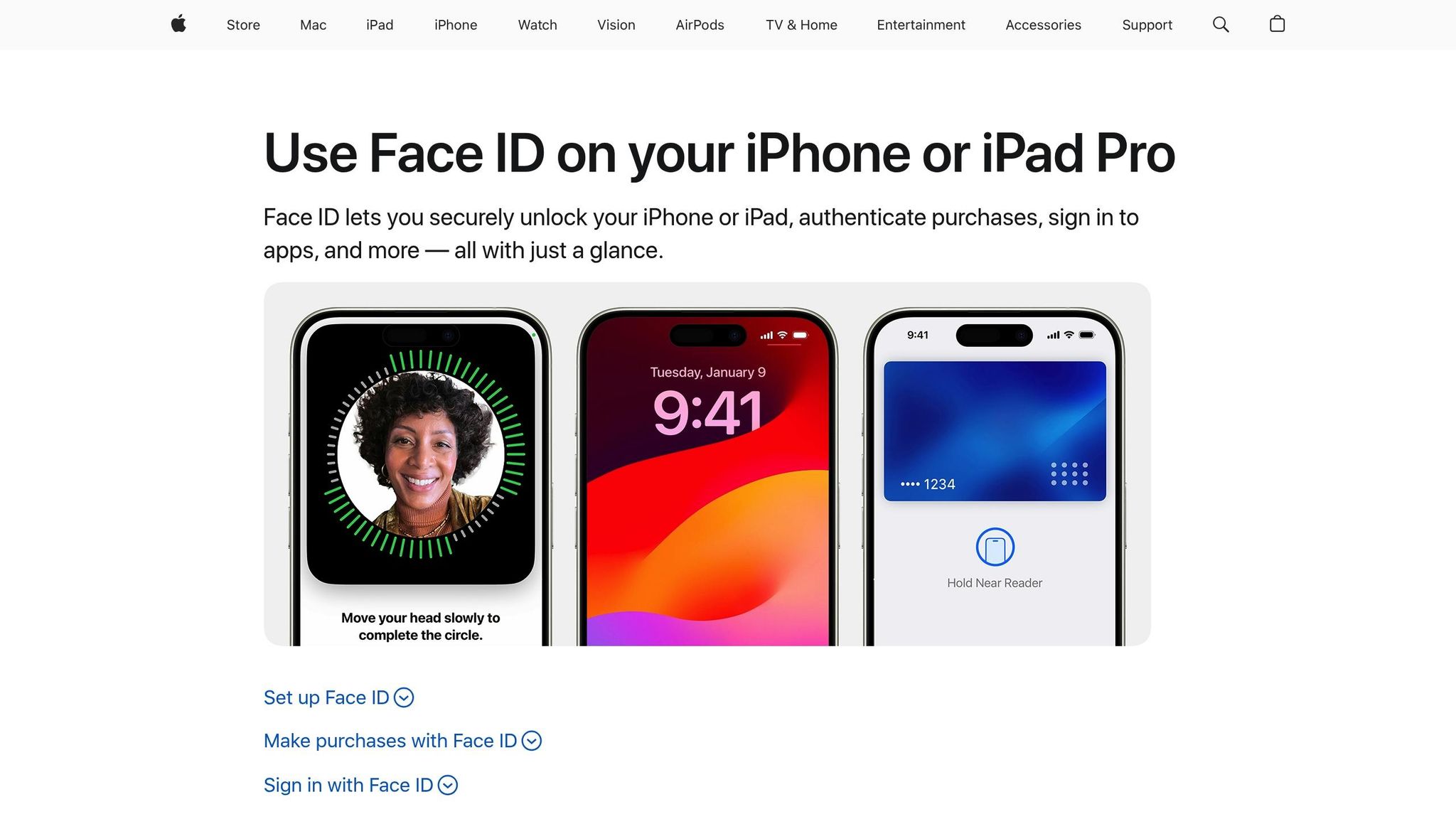
In addition to encryption, biometric and system-level protections ensure your loyalty data stays secure. When you use your iPhone or Apple Watch at a loyalty terminal, Apple Wallet requires either Face ID, Touch ID, or a passcode to confirm the action. This ensures that your data is only transmitted with your explicit approval. Importantly, biometric authentication happens entirely on your device, adding another layer of privacy. For state IDs stored in Wallet, the system pairs a single matched biometric to the specific pass being used.
As Apple states:
"Apple Pay uses security features built-in to the hardware and software of your device to help protect your transactions. In addition, to use Apple Pay, you must have a passcode set on your device and, optionally, Face ID, Touch ID, or Optic ID."
If biometrics aren’t your preference, you can always opt to use a passcode instead.
Other Security Measures
Beyond biometrics, system-level defenses further protect your loyalty data. Contactless rewards cards are encrypted with your device passcode and stored in the Secure Element or Secure Enclave – hardware components designed to operate separately from the main operating system.
If your device is lost or stolen, the Find My feature offers critical safeguards. You can remotely activate Lost Mode to disable Wallet functions or perform a complete remote wipe to erase all stored cards and passes. Additionally, two-factor authentication (2FA) is mandatory on your iCloud account to add most secure passes to Wallet.
Whenever a pass is used, a consent screen shows the requested data, the requesting party, and where the data will be stored. To protect your information during transmission via NFC, Bluetooth, or Wi-Fi, Apple employs session encryption that adheres to the ISO/IEC 18013-5 standard.
One setting to consider is Express Mode, which allows transactions without requiring biometric authentication. While convenient for transit cards, it could pose a security risk for other types of passes. For added protection, review your "Wallet & Apple Pay" settings and disable auto-present on rewards cards if needed.
sbb-itb-94e1183
How meed Simplifies Secure Loyalty Management
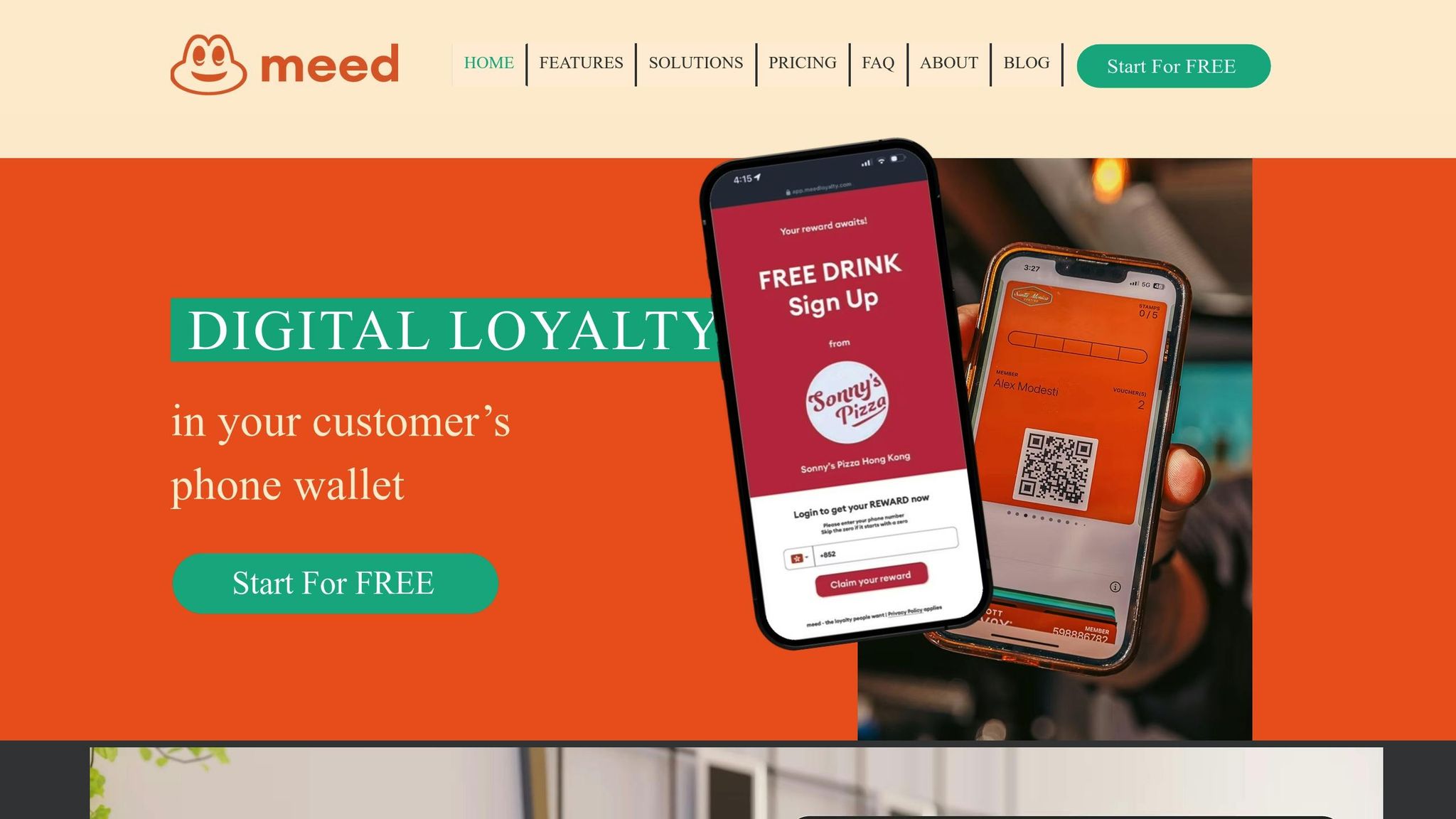
meed’s Apple Wallet Integration
meed leverages Apple Wallet’s strong encryption to make loyalty management both secure and seamless. By integrating with PassKit and Apple Pay VAS, the platform enables contactless loyalty features that are both efficient and protected. Each loyalty pass is secured with an Apple-issued certificate, ensuring only valid passes are accepted by Apple Wallet.
To further enhance security, hardware-based protections prevent cloning and replay attacks. Additionally, all personal data exchanged between the pass and a terminal is encrypted at the application layer. This ensures confidentiality, whether the data is transmitted via NFC, Bluetooth, or Wi-Fi.
Businesses can share loyalty passes through various channels, such as apps, SMS, email, NFC tags, and QR codes, making it easy for customers to enroll. meed also simplifies the process by automatically inviting customers to join a loyalty program after they complete an Apple Pay transaction at a contactless terminal.
Benefits for Businesses and Consumers
Both businesses and consumers benefit from meed’s integration with Apple Wallet. For consumers, it offers the convenience of one-tap payments that can earn or redeem rewards instantly. Security is further enhanced with biometric authentication through Face ID or Touch ID, ensuring that only the rightful user can access their loyalty information.
On the business side, meed provides tools for real-time engagement, such as push notifications and dynamic updates on point balances or special offers based on time or location. By automating many processes, businesses can cut down on manual tasks, allowing staff to focus on delivering better customer experiences. Additionally, meed’s analytics dashboard offers valuable insights into customer behavior, enabling businesses to create personalized offers while maintaining the high security standards required by Apple Wallet.
Why Apple Pay Is Very Safe? – Detailed Explanation of the Security System of Apple Pay
Conclusion
Apple Wallet’s multi-layered encryption provides a strong safeguard for loyalty programs, ensuring customer data remains secure from the moment it’s added to a device through every transaction. Features like on-device encryption, biometric authentication, and hardware-based security through the Secure Element work together to keep sensitive information private and protected.
For businesses, secure loyalty management isn’t just a compliance requirement – it’s also a way to build trust with customers. When people know their data is encrypted and stored locally on their devices, they feel more confident engaging with loyalty programs. As Arrivia highlights, "By prioritizing security alongside convenience, digital wallets are helping loyalty programs build the trust necessary for widespread adoption and continued engagement".
Platforms such as meed make it easy for businesses to tap into these advanced security features without needing extensive technical expertise. By integrating with Apple Wallet’s encryption framework, businesses can deliver contactless loyalty experiences that are both secure and user-friendly. Features like real-time updates, push notifications, and one-tap rewards offer a level of convenience that traditional loyalty cards simply can’t match.
The rise of digital wallets goes beyond convenience – it’s reshaping how businesses and customers connect. With encryption silently managing security in the background, companies can focus on what truly matters: creating engaging rewards and experiences that keep customers coming back.
Whether you’re starting a loyalty program from scratch or improving an existing one, selecting a platform that prioritizes security and encryption ensures long-term protection for both your business and your customers.
FAQs
How does Apple Wallet protect my loyalty program data?
Apple Wallet takes your security seriously by using encryption to protect your loyalty program details. All sensitive data stays securely on your device, safeguarded by the Secure Enclave and your passcode, Face ID, or Touch ID. Importantly, Apple doesn’t store raw data on its servers, keeping your information private.
When you make transactions, only encrypted information is exchanged between your device, the merchant, and the issuing bank. This ensures your loyalty data is securely transmitted and remains protected throughout the process.
How does Apple Wallet keep my loyalty program data secure?
Apple Wallet employs cutting-edge hardware security to safeguard your loyalty program details. At the core of this protection is the Secure Enclave, a tamper-resistant processor integrated into Apple devices. This chip handles all encryption processes, generating and securely storing private keys that protect your loyalty cards. These keys never leave your device and are inaccessible to anyone, including Apple itself. When you add a loyalty card, the information is encrypted directly on your device and stored securely – Apple cannot access the unencrypted data.
Another key component is the Secure Element, a dedicated hardware chip designed to store sensitive information like loyalty program identifiers. Working alongside the Secure Enclave, it authenticates your identity using Face ID, Touch ID, or your passcode. Once verified, it securely releases encrypted tokens for transactions, ensuring your data stays protected, even if the device’s operating system were compromised.
When you use meed to add digital loyalty cards or rewards to Apple Wallet, the same high-level encryption standards apply. Your membership details are protected by the Secure Enclave and Secure Element, making sure that only you can access and redeem your rewards.
How does tokenization help protect loyalty program data in Apple Wallet?
Tokenization swaps out sensitive loyalty account details for a unique, device-specific token that can’t be traced back to the original data. This ensures the actual information remains encrypted on the user’s device and Apple’s secure servers. Even if the pass is intercepted or compromised, the real data stays protected.
By keeping raw data confined to a secure environment, tokenization provides an extra layer of security, helping to protect user privacy and loyalty account information.