
Loyalty program wallet errors can frustrate customers and disrupt your business. These digital wallets integrate rewards, balances, and offers into platforms like Apple Wallet and Google Pay. However, issues like failed card additions, outdated systems, or syncing problems can ruin the user experience.
To fix these problems:
- Check compatibility: Ensure your system meets Apple and Google’s technical requirements.
- Test thoroughly: Verify wallet pass functions across devices and scenarios.
- Monitor data sync: Use secure APIs for real-time updates.
- Resolve errors: Fix QR code issues, API problems, or expired certificates.
- Improve communication: Provide clear guides and train your support team.
Platforms like Meed can simplify wallet integration by managing updates, ensuring compliance, and offering centralized monitoring. Addressing these challenges is key to maintaining customer trust and loyalty.
Oppo Reno 12 FS – How to Add a Loyalty Card to Google Wallet – Simplify Your Rewards
Common Wallet Integration Problems
Integrating loyalty programs into digital wallets can be tricky. Businesses often encounter challenges that frustrate customers and disrupt operations. Let’s take a closer look at the common issues that can arise during wallet integration.
Wallet Platform Compatibility Issues
One major hurdle is compatibility. Older systems built on outdated technology may struggle to meet the technical requirements of modern digital wallets like Apple Wallet and Google Pay. These platforms demand specific file formats, strict security protocols, and up-to-date API standards. If backend systems aren’t updated to align with these requirements, synchronization problems can emerge. For example, customer data might not sync properly, leading to delays in updating rewards. This kind of incompatibility can discourage customers from enrolling or engaging with the program.
Card Addition Failures and Missing Features
Adding loyalty cards to digital wallets can sometimes fail, and the reasons are often tied to fraud prevention and data issues. Fraud prevention systems, which rely on analyzing transaction history and user behavior, can mistakenly block card additions. For instance, Apple Wallet has strict rules: loyalty cards are automatically declined if the Apple ID is less than 40 days old, if the card pairing is less than 20 days old, or if there have been recent account setting changes within the past 20 days. A device score of 1 also leads to an automatic decline.
On top of this, outdated or mismatched customer information can prevent successful card additions. Even when cards are added, some advanced loyalty features may not fully transfer to the digital wallet, leaving customers with a simplified version of the program that lacks certain functionalities.
System and Network Problems
Technical issues can also wreak havoc on wallet functionality. Server downtime and brief outages can block card additions and delay reward updates, eroding customer trust. Similarly, unstable internet connections disrupt real-time syncing between loyalty systems and wallet platforms, which can result in delayed point updates or reward redemptions. Misconfigured integrations, such as missing API endpoints or webhooks, add to the chaos by preventing smooth data flow. Lastly, database synchronization errors can create mismatches between the loyalty system and wallet passes, leading to customer confusion and overwhelming support teams during high-traffic periods.
How to Diagnose Wallet Integration Errors
When wallet integration issues pop up, a structured approach is your best bet for pinpointing the problem quickly. This not only saves time but also minimizes customer frustration by getting things back on track efficiently. Instead of relying on guesswork, a systematic process ensures a smoother resolution.
Check Technical Requirements
Start by confirming that your system meets all the technical requirements for wallet integration. For instance, Apple Pay requires specific certifications, like Apple’s NFC certificate, and payment terminals must support Apple Pay Value Added Services (VAS). Additionally, your point-of-sale software needs to operate in the correct modes.
For Google Wallet, which operates using the SmartTap protocol, no special approval from Google is necessary. However, you’ll need certified NFC readers and must adhere to Google’s guidelines and Acceptable Use Policy.
Make sure your loyalty program platform is equipped to handle contactless passes. This includes the ability to develop, deploy, manage, and provide real-time updates. Features like segment management and notification handling are also essential. On the technical side, ensure your APIs are secure, employing proper authentication, rate limiting, input validation, and HTTPS encryption.
Test Wallet Pass Functions
Conduct thorough testing of wallet passes on both iOS and Android devices. This includes NFC interactions, cross-device compatibility, and the entire customer journey – from adding a card to redeeming rewards.
Loyalty cards should comply with Apple and Google’s guidelines. They need to display your brand colors, logos, and key details like member IDs and points. Scannable barcodes or QR codes are also a must. On the back of the pass, include additional details such as terms, customer support information, or links to your website. After verifying individual pass functions, shift your attention to backend connectivity to ensure everything runs smoothly.
Monitor Data Sync
Keeping loyalty balances accurate in real-time is critical. This means ensuring that points update immediately after purchases or redemptions, which requires seamless synchronization between your loyalty program’s backend and wallet passes. Secure APIs are the backbone of this connection.
To maintain real-time synchronization, use secure methods like tokenization, AES-256 encryption, and multi-factor authentication, including biometric options. Regular security audits can help identify vulnerabilities and prevent integration failures before they occur.
sbb-itb-94e1183
How to Fix Integration Problems
To tackle integration issues effectively, start by identifying the root cause. Work through solutions step by step, starting with straightforward technical fixes and moving on to more complex system adjustments.
Fix Technical Errors
First, ensure all wallet apps are updated to their latest versions via the App Store or Google Play.
QR code and barcode issues are common culprits. If codes aren’t scanning properly, check that they meet the required format and resolution standards (minimum 200×200 pixels). Apple Wallet supports formats like PDF417, Aztec, Code 128, and QR codes, while Google Wallet primarily relies on QR codes. High-contrast codes are essential for reliable scanning, regardless of the device or lighting conditions.
API integration errors often stem from endpoint or token issues. Verify that API endpoints use valid SSL certificates, enforce HTTPS protocols, and include up-to-date authentication tokens. If rate limiting is causing problems, implement retry logic with an exponential backoff strategy – start with a 1-second delay and double it with each retry, up to a maximum of 30 seconds.
Apple Developer certificate issues can disrupt wallet pass functionality. If passes aren’t updating or installing, confirm that your Apple Developer certificates are valid and current. Apple requires specific certificate types for wallet features, and expired certificates will immediately cause failures.
If these technical fixes don’t resolve the problem, it’s time to look at broader system compatibility challenges.
Solve System Compatibility Problems
For older systems, middleware solutions can bridge the gap. Middleware can convert your existing loyalty data into formats compatible with wallet platforms, allowing you to retain your current systems while adding wallet functionality.
A phased integration approach can minimize risks. Start by rolling out wallet passes to new customers, then gradually migrate existing loyalty members. This step-by-step method makes it easier to identify and address issues without disrupting your entire customer base.
To ensure seamless updates, implement real-time webhooks. These allow wallet passes to update instantly and automatically retry failed updates (up to three attempts with exponential delays).
Finally, optimize pass templates for both iOS and Android platforms. Make sure each template adheres to its platform’s JSON structure while maintaining consistent branding across devices.
Once system compatibility is addressed, focus on compliance and security to protect your solution.
Meet Compliance and Security Standards
After resolving technical and system issues, it’s critical to meet compliance and security requirements to finalize your wallet integration.
Data protection should be a top priority. Use AES-256 encryption for stored customer data and ensure all API communications are secured with TLS 1.2 or higher. For sensitive information like customer IDs or payment details, implement tokenization to replace actual data with non-sensitive tokens, minimizing risks in case of interception.
If your loyalty program involves payment card data, PCI DSS compliance is non-negotiable. Even if you don’t process payments directly, storing card information for identification purposes requires adherence to these standards. Conduct quarterly security audits and review your systems after major updates to catch vulnerabilities early.
Privacy regulations like GDPR govern how customer data is handled in wallet passes. Make sure you have proper consent mechanisms in place and allow customers to opt out easily. Provide clear privacy notices that explain what data is stored and how it’s used. Additionally, customers have the right to data portability, so include features that let them download their loyalty information when requested.
Regular security monitoring is essential to stay ahead of potential issues. Set up automated alerts for unusual API activity, failed authentication attempts, and system errors. Use monitoring dashboards to track key metrics like wallet pass installation rates, update success rates, and customer engagement levels. This not only helps you identify problems early but also measures the effectiveness of your fixes.
Platforms like meed can simplify many of these complex compliance and security requirements. By handling the technical aspects of wallet integration, these tools allow businesses to focus on enhancing their loyalty programs while ensuring all necessary safeguards are in place.
Best Practices for Smooth Wallet Integration
Avoid common wallet-related issues by adopting proactive strategies that ensure a seamless experience for your customers.
Communicate Features and Provide Support
Clear communication is key to minimizing wallet errors. Start by offering visual guides that walk users through wallet pass setup. These guides should simplify the process, making it easy for customers to follow along. Pair this with dedicated support channels specifically for wallet-related inquiries. This ensures customers can get quick help when they encounter challenges like pass installation failures, missing updates, or scanning issues.
Equipping your customer service team with the right training is equally important. Teach them how to address common wallet problems effectively. For businesses with a multilingual customer base, consider translating setup guides and error messages into the primary languages your customers speak. When support is accessible and staff are well-prepared, the wallet experience becomes much smoother.
Train Staff and Educate Users
Your team plays a critical role in resolving wallet issues. Provide practical training sessions that simulate real-world scenarios, helping staff identify and troubleshoot problems such as outdated apps, connectivity issues, or device compatibility challenges.
Establish a feedback loop between your customer-facing team and your technical department. When employees notice recurring wallet problems, they should have a clear process for reporting these issues. This approach helps your IT team identify patterns and address potential problems before they escalate.
Use Platforms Like Meed for Easier Management
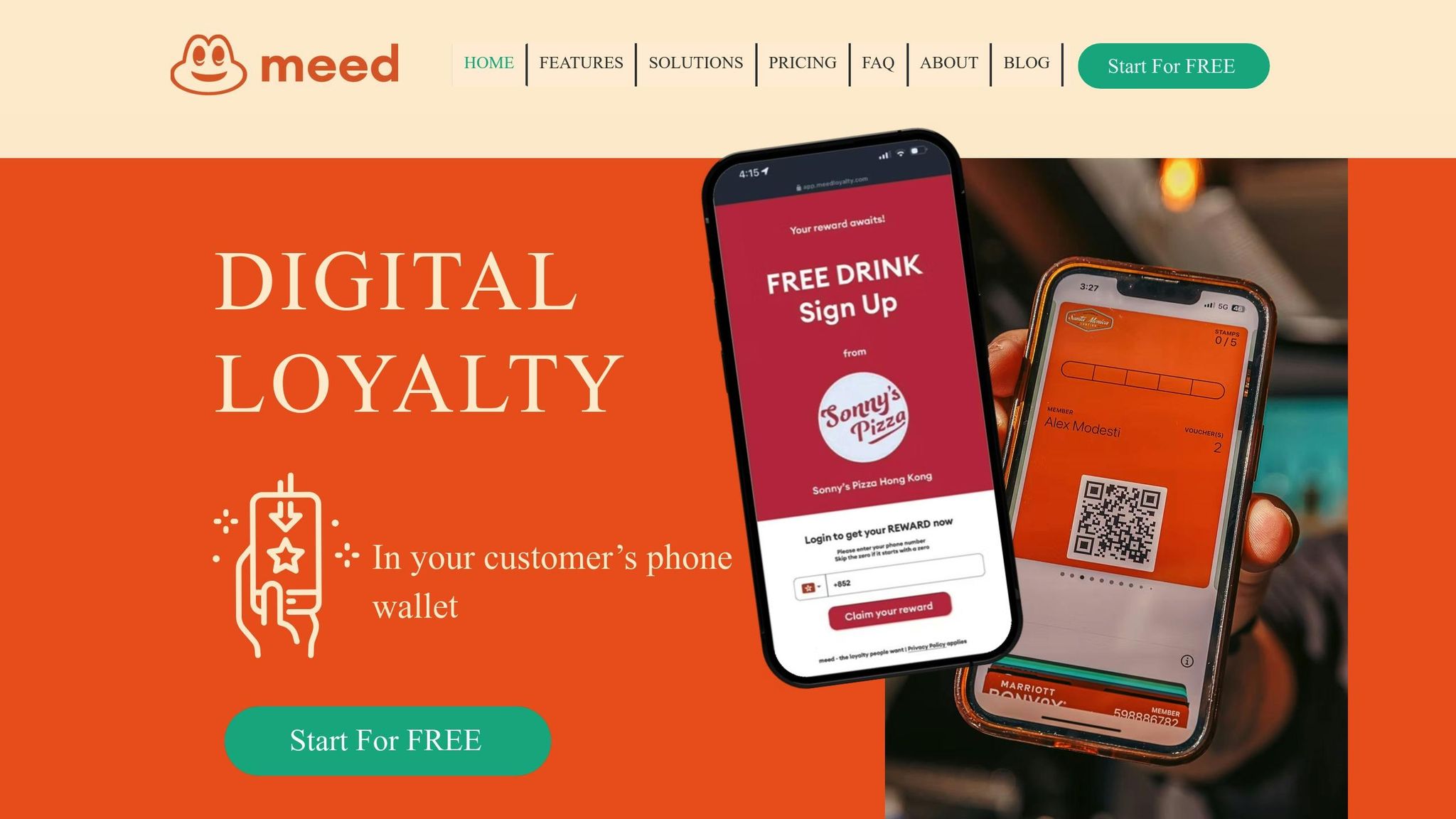
Specialized platforms can significantly ease the challenges of wallet integration. Tools like Meed automate many aspects of the process, ensuring a more reliable and efficient experience for both businesses and customers.
These platforms offer built-in compatibility testing, which ensures your wallet passes meet Apple and Google standards before they even reach your customers. This proactive approach eliminates many common errors upfront. Additionally, centralized dashboards allow you to monitor key metrics like installation rates, usage trends, and error frequencies. If installation rates drop or error messages increase, you can quickly pinpoint and resolve the issue.
Another benefit is automatic updates and maintenance. Apple and Google regularly update their wallet APIs and security protocols, which can be a hassle to keep up with. Platforms like Meed handle these updates for you, keeping your wallet integration aligned with the latest requirements without adding extra work for your team.
For businesses with multiple locations, these platforms offer simplified multi-location management. Instead of juggling separate integrations for each store, you can manage everything from one dashboard while still allowing for location-specific customization. This not only saves time but also ensures a consistent experience across all locations.
Key Points for Fixing Wallet Errors
Addressing wallet integration issues requires a mix of compatibility checks, thorough testing, and effective communication to ensure a smooth user experience.
Compatibility checks are the first step toward seamless wallet integration. Before launching, confirm that your system aligns with the requirements of Apple Wallet and Google Pay. This includes validating SSL certificates, ensuring JSON formatting is correct, and managing APIs effectively. The most crucial step is verifying compatibility across various device operating systems and wallet app versions, as frequent updates can alter integration requirements. Once compatibility is confirmed, move on to testing.
Thorough testing is essential to catch and resolve common errors. Test the installation, updates, and removal of wallet passes across different devices and under various network conditions. Pay close attention to scenarios like switching between WiFi and cellular networks or brief connection interruptions to ensure passes remain functional. After testing, focus on providing users with clear and straightforward installation instructions.
Effective communication plays a key role in reducing user frustration. Offer step-by-step visual guides to help customers set up wallet passes easily. Additionally, train your support team to quickly identify and resolve common issues, ensuring a smoother experience for your users.
Managing wallet integrations across multiple platforms can be challenging, but specialized tools like Meed simplify the process. These platforms handle updates, ensure compliance with Apple and Google standards, manage API changes, and monitor installation success rates – all in one place. By leveraging such tools, businesses can focus on enhancing their loyalty programs instead of getting bogged down in technical troubleshooting.
FAQs
What are the key technical requirements for adding loyalty programs to Apple Wallet and Google Pay?
To connect loyalty programs with Apple Wallet, you’ll need to create digital passes using the Wallet Developer tools. This includes obtaining NFC certificates to enable contactless functionality and ensuring that the passes can be updated in real time for accuracy and convenience.
For Google Pay, the process involves setting up a Google Wallet API issuer account, configuring Google Cloud if necessary, and following the API guidelines to manage digital loyalty cards effectively.
Both platforms emphasize secure data handling, proper user authentication, and strict compliance with their API requirements to deliver a smooth integration and an effortless user experience.
How can businesses keep loyalty points updated in real time across their systems and digital wallets?
To keep loyalty points updated in real-time, businesses should focus on setting up strong API integrations. These integrations allow smooth and instant data sharing between their systems and digital wallets, ensuring loyalty balances reflect changes immediately.
In addition, adopting cloud-based processing and event-driven architectures can significantly boost both speed and reliability. These technologies reduce the chances of errors, maintain accuracy, and ensure customers always see the correct loyalty balance, creating a better overall experience.
How can I fix issues with adding a loyalty card due to fraud prevention systems?
If you’re facing issues adding a loyalty card due to fraud prevention systems, start by reviewing the system’s security settings. Ensure they are set up to allow legitimate card additions while still effectively blocking fraudulent attempts. Pay close attention to any filters or restrictions that might unintentionally block valid cards.
It’s equally important to keep fraud detection tools up to date. As fraud tactics evolve, regular updates help maintain the system’s effectiveness. Additionally, keep users informed about the security measures in place. Providing clear instructions can help them navigate the process smoothly and avoid triggering false positives.